
The 7 Best Calendly Alternatives for Scheduling in 2026
Koalendar and Cal.com offer more flexibility than Calendly. Acuity supports payments, Doodle suits group scheduling, and HubSpot Meeting Scheduler works well for sales teams.


Published On: 14 October, 2025


4 min read
Table of Contents
Introduction
Calendly deserves credit: it made link-based booking mainstream. Instead of endless “Does Tuesday work?” emails, you share a page, people pick a slot, and your calendar stays sane.
But scheduling has grown up. And so have expectations. In 2026, many users hit the same walls: a free plan that runs out the moment you need more than one meeting type, pricing that climbs fast when you add teammates, and everyday features that feel locked behind upgrades. If you’re choosing a scheduling tool for client calls, coaching sessions, interviews, or demos, you want something that stays simple, feels professional, and doesn’t punish you for growing.
This guide compares seven Calendly alternatives for 2026—what each one does best, key features, pricing, and real-world feedback—so you can pick the option that fits your workflow (and your budget) without the guesswork.
Why Look for a Calendly Alternative?
1) A restrictive free plan that runs out quickly
Calendly’s free tier is fine for a single, basic use case. But if you need multiple booking links (for different services, durations, or audiences), the limits can feel immediate. That’s why many people start searching for an appointment scheduling app that lets them create more than one meeting type without paying. Cal.com and Koalendar, for example, position their free plans as “no usage limits” or “unlimited bookings” options.
2) Team pricing that escalates fast
Per-seat pricing is normal in SaaS. The problem is when the “must-have” features only show up at higher tiers, especially for teams.
Calendly’s published pricing varies by plan and billing cycle, but the Standard and Teams tiers are commonly cited at around $10/seat/month and $16/seat/month (annual billing), respectively. Multiply that by 10 teammates, and you can be into triple digits monthly before you’ve added extras.
If you’re a small team coordinating demos, onboarding, or interviews, competitors can feel more cost-effective—either because the free plan is broader, or because paid tiers include more team functionality earlier.
3) Branding and customization limits on lower tiers
For client-facing bookings, the booking page is part of your first impression. Yet many schedulers restrict advanced branding (like removing platform branding) to higher tiers.
If you care about a polished experience—logo, colors, custom questions, multi-language support—you may prefer a booking platform that gives you more control sooner. Koalendar, for example, emphasizes logo, color, and link customization and multilingual pages as part of the core experience, with deeper branding controls in Pro. Youcanbookme, on the other hand, also positions themselves as “the most customizable scheduling experience available.”
4) Payments can require a higher-tier upgrade
If you sell time (coaching, consulting, therapy, lessons) being able to collect payment at booking is huge.
Some tools push payments into more expensive plans, while others include payment options earlier. Youcanbookme and Cal.com include payments in their free plans, for example, but their free plans restrict the number of users, booking pages, or calendar connections.
5) “More features” can mean “more complexity”
Calendly has expanded into enterprise scheduling: routing, admin controls, and deeper org tooling. That’s great if you need it. But if you just want clean, reliable booking links, a lighter alternative can feel faster to set up and nicer to use day-to-day—especially for solo professionals.
Calendly alternatives: What to look for in a scheduling tool
To keep this comparison fair, we evaluated each option using the same seven criteria:
- Core focus: Who it’s built for (solo pros, service businesses, sales teams, developers, etc.).
- Ease of use: How quickly you can get live, plus the day-to-day feel—based on consistent themes in user reviews.
- Pricing: What the free plan actually gives you, and where paid tiers start.
- Scheduling features: Availability rules, buffers, group bookings, round robin, and other foundations.
- Customization: Branding, booking questions, embeds, and language support.
- Integrations: Calendar sync, video tools, automation (Zapier/webhooks), and CRMs.
- Customer reviews: What real users consistently praise (or complain about) on G2/Capterra/marketplaces.
If you’re short on time, there’s a free-plan comparison table near the end for quick scanning.
7 Best Calendly Alternatives
1. Koalendar
Best for: Professionals, consultants, coaches, and small teams who want premium scheduling without the premium price.
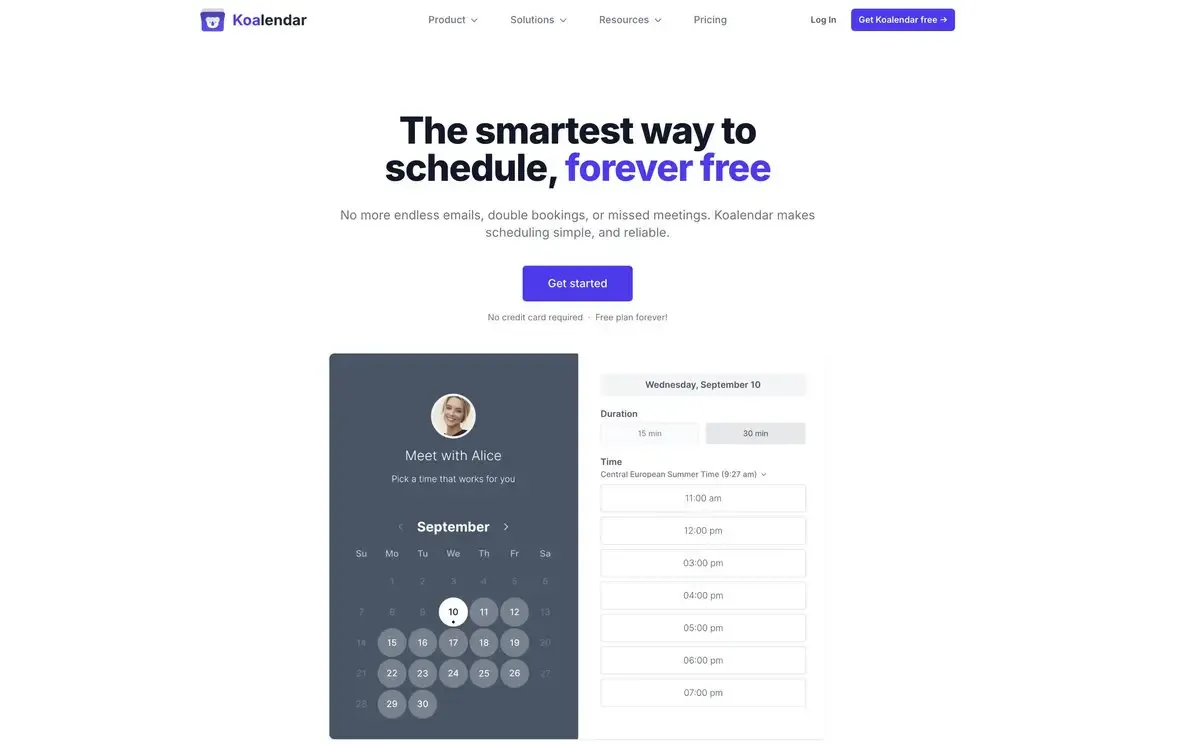
Koalendar is built around a simple idea: scheduling should just work, without forcing you to pay for basics. Koalendar is perfect if you are looking to trade complex tools for a straightforward interface that works for everyone. Whether you need full control of your availability, the booking forms, or communications to invitees, Koalendar provides the flexibility you need without the laborious setup.
It also stands out because of its very generous Free Forever Plan: unlimited bookings, unlimited event types, and unlimited scheduling links, which directly addresses one of the most common reasons people move away from Calendly.
Key features
- Personalized booking pages (custom link, logo, brand colors) + 40+ languages
- Smart availability: Google/Outlook/iCloud sync, time zone detection, buffer times, booking limits
- Team scheduling: round robin routing, multi-host events, collective bookings
- Custom email + SMS reminders (helpful for reducing no-shows)
- Payments: cards, bank transfers, Apple Pay, Google Pay (in Pro)
- Website embeds (great for WordPress/Wix/Squarespace/Shopify setups)
- Integrations: Zoom/Meet/Teams + Zapier + webhooks + analytics pixels
Pricing
- Free Forever: unlimited bookings, unlimited event types/links, calendar sync, 2 connected calendars, video conferencing, notifications.
- Pro: from $6.99/seat/month (annual) or $9.99/month (monthly)
- Teams: custom pricing for 10+ seats
Overall rating (at-a-glance)
- Strong marketplace and review-platform feedback, including Google Workspace presence (4.9/5) and Capterra (4.7/5) reviews highlighting ease of use and clean experience.
2. Cal.com
Best for: Developers, technical teams, and businesses that want open-source flexibility and self-hosting options
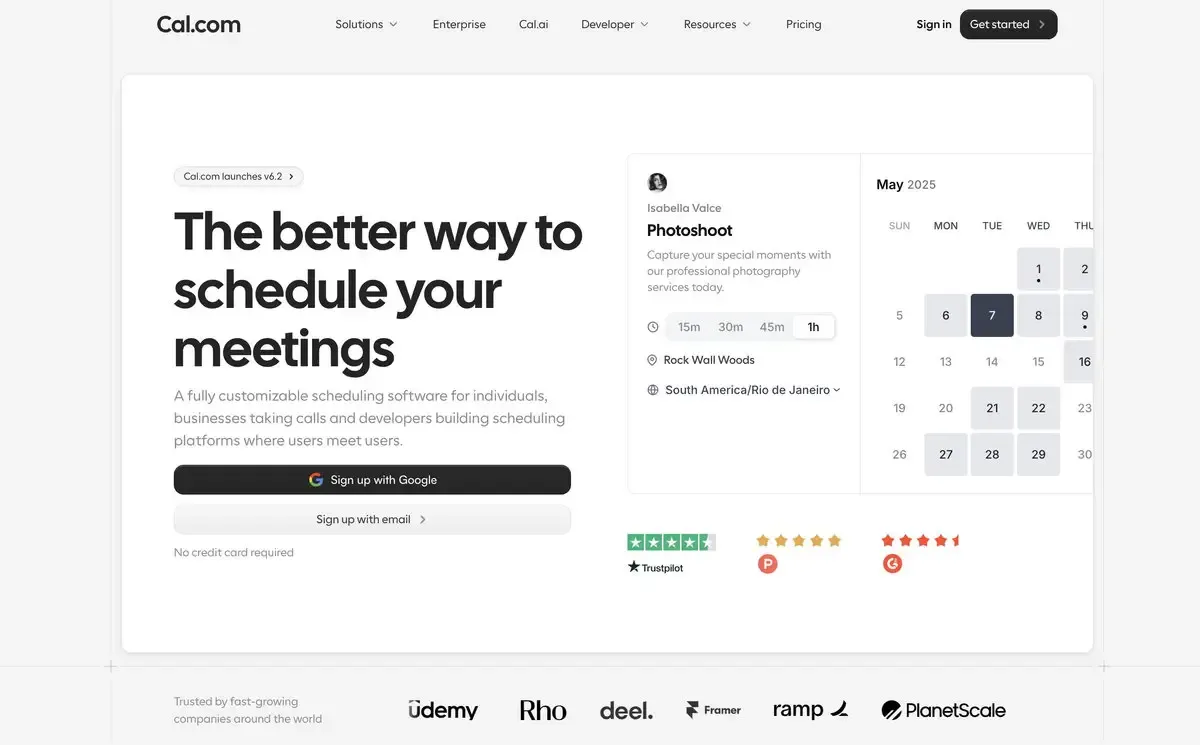
Cal.com is the developer-first option in the scheduling space. If you want control—down to infrastructure—Cal.com leans into open-source and self-hosting, plus strong workflow logic for teams. It also makes “free with no usage limits” a headline promise, which is appealing if you hate hitting caps.
A standout differentiator is Cal.com’s broader ecosystem direction, including AI-forward experiments like phone-based scheduling concepts (availability depends on product releases and plan). The main point: it’s built for teams that like to customize, automate, and integrate deeply.
Key features
- Open-source + self-hosting options
- Unlimited bookings on the free plan
- Round-robin, collective, and group scheduling (Teams plan and beyond)
- Workflow automation and admin controls (Team plan)
Pricing
- Free: individuals can start free
- Team accounts: commonly listed at $15/user/month
Overall rating: 4.6/5 on G2
3. Acuity Scheduling
Best for: Service-based professionals who need payments + client management baked in
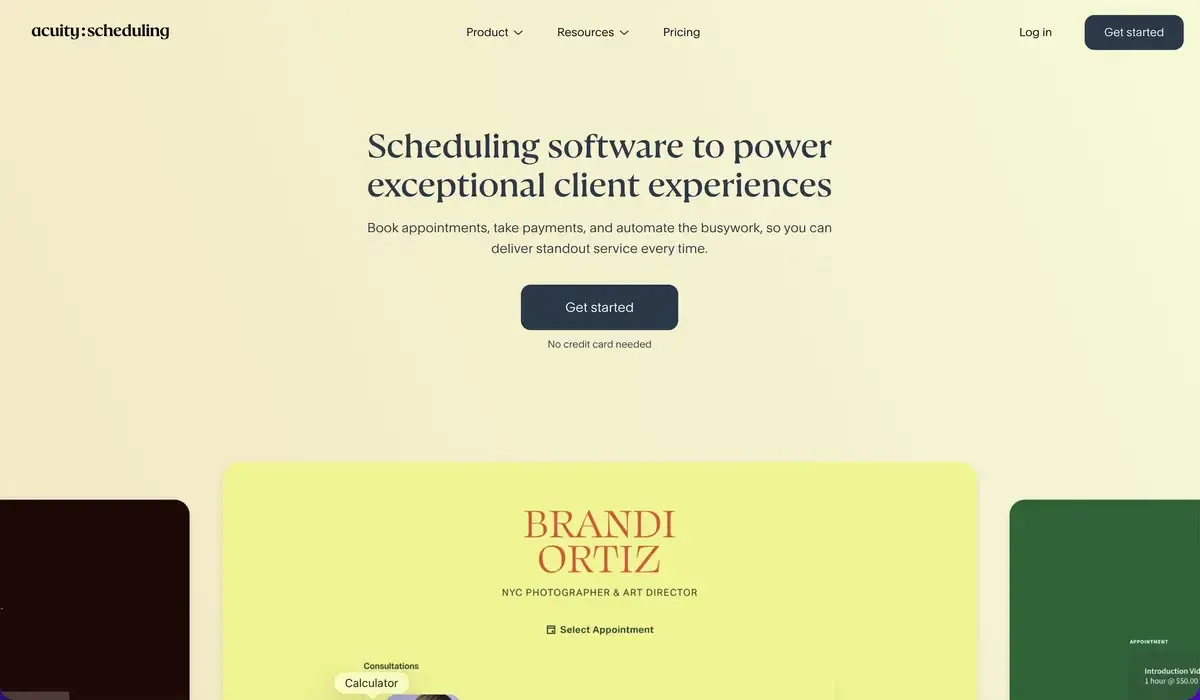
Acuity Scheduling (part of Squarespace) goes beyond “pick a time” into fuller appointment management. It’s a strong fit for therapists, coaches, salons, and other service businesses that deal with deposits, packages, intake forms, and recurring sessions.
The trade-off is simple: no free-forever plan, and it can feel heavier than minimalist tools. But if your business runs on appointments and you want scheduling + payments + client workflows in one place, Acuity is hard to ignore.
Key features
- Built-in payments via Stripe/PayPal (and more, depending on setup)
- Advanced scheduling controls (buffers, limits, blackout dates)
- Multi-staff and multi-location management
- Intake forms + automated reminders/follow-ups
Pricing
- 7-day free trial
- Starter: $16/month (annual) / $20 (monthly)
- Standard: $27/month (annual)
- Premium: $49/month (annual)
Overall rating: Commonly reported around 4.7/5 on G2
4. YouCanBookMe
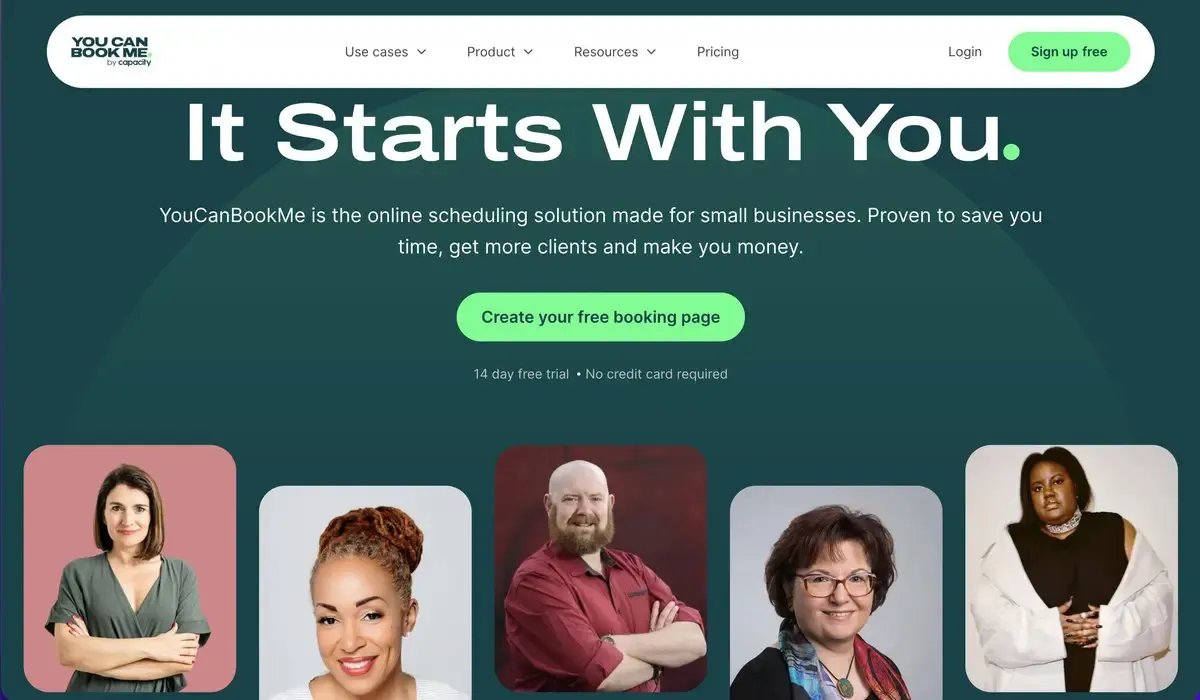
Best for: Freelancers, educators, and small teams who want a polished, highly customizable booking experience
YouCanBookMe has been around for years and is known for flexible booking pages and a clean experience. Review summaries frequently highlight smooth Google/Outlook integration and solid customization, especially for people who want their booking page to feel like their brand, not a generic scheduler page.
The free plan is limited (1 calendar + 1 booking page), so it’s best if you’re okay starting small and upgrading when you need more.
Key features
- Two-way sync with Google Calendar and Outlook
- Strong booking page customization + branding controls
- Round-robin and collective team logic (paid tiers)
- Email/SMS notifications with placeholders (paid tiers)
- Zapier + webhooks/API for advanced flows
Pricing
- Free: 1 calendar connection, 1 booking page
- Paid plans vary by billing cycle; starts at $8.10 (billed annually) with expanded calendars/pages
Overall rating: 4.7/5 on G2 (1,900+ reviews cited by G2 seller page)
5. Setmore
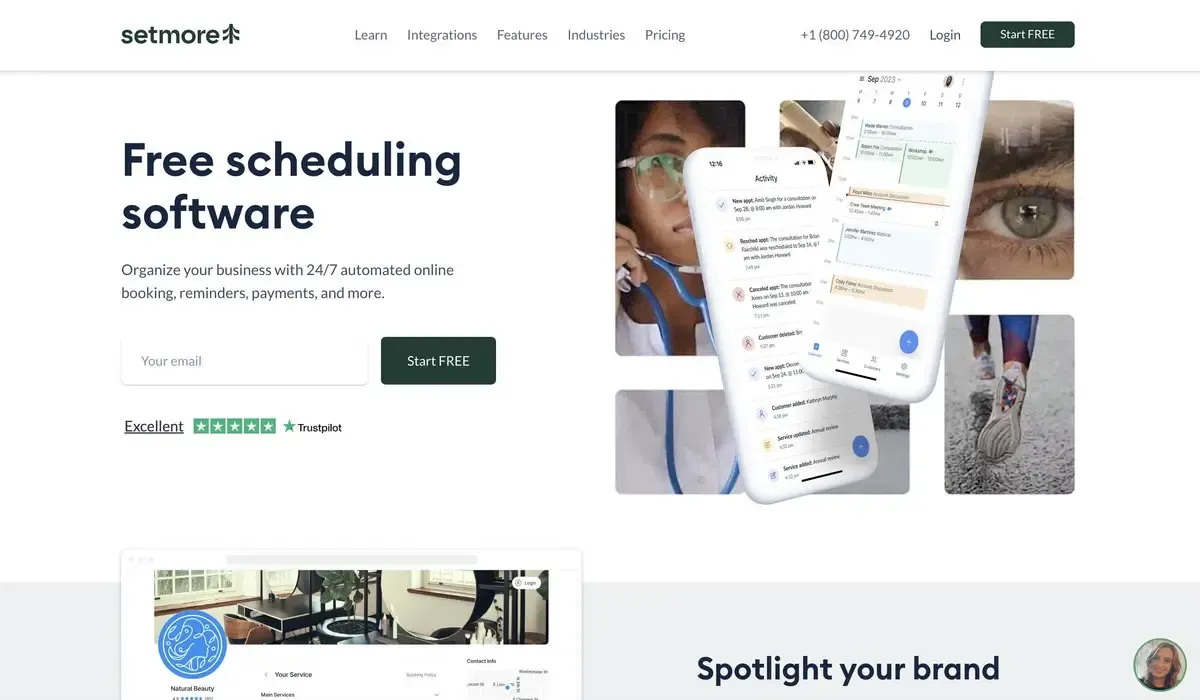
Best for: Small B2C businesses that want a generous free plan (limited) and simple client booking
Setmore is popular with appointment-based businesses that need a straightforward booking flow: clinics, salons, tutors, fitness pros, and similar. The big headline is the free plan’s generosity: commonly described as supporting multiple staff and 200 bookings, making it a strong “start free” option for small teams.
You also get social-friendly scheduling options (useful if most clients come from Instagram or Facebook) and an overall lightweight interface compared to heavier client-management suites.
Key features
- Free plan with 200 appointments and payments
- Online booking page + availability controls
- Email/SMS reminders (SMS often on paid tiers)
Pricing
- Free: $0/month
- Pro: commonly listed at $5/user/month (annual) or higher monthly
Overall rating: widely listed around 4.5/5 on G2 and strong Capterra sentiment
6. Doodle
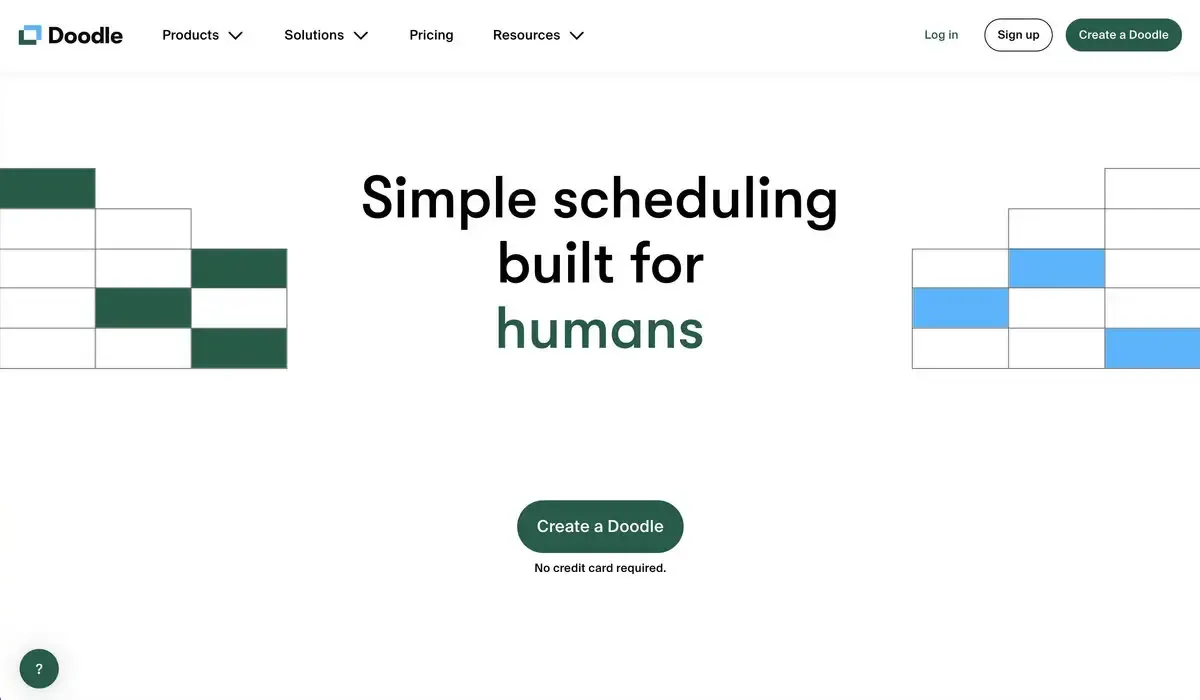
Best for: Teams and groups who need to find a time that works for many people
Doodle is the classic “group scheduling by poll” tool. Instead of sending one availability link, you propose a few time options and let participants vote. It’s ideal when no single person owns the schedule—committees, cross-team meetings, event planning, and group coordination.
It also offers 1:1 scheduling, but polling is where it shines. On G2, Doodle sits around 4.4/5 with thousands of reviews, which reflects its long-standing role as a dependable coordination tool.
Key features
- Meeting polls (group voting)
- 1:1 booking mode
- Calendar connections (Google/Outlook/iCloud depending on plan)
- Branding controls on paid tiers
Pricing
- Free: includes unlimited group polls (with limits on advanced features)
- Pro: $6.95/user/month (annual)
- Team: $8.95/user/month (annual)
7. HubSpot Meeting Scheduler
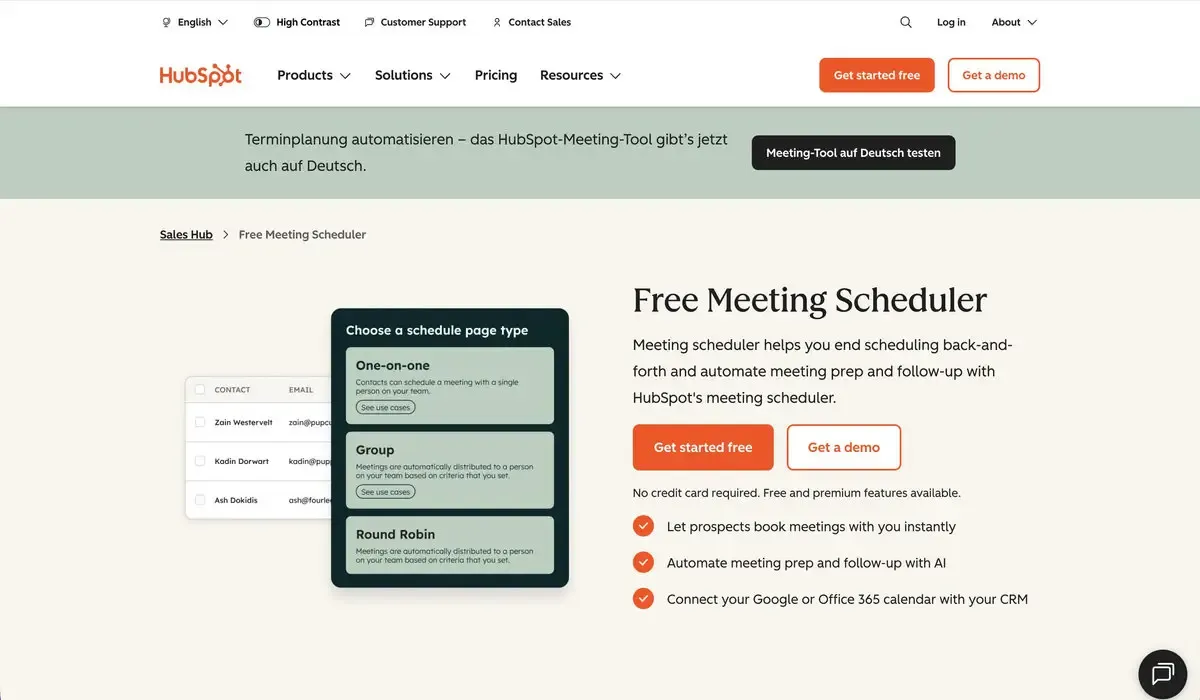
Best for: Sales and marketing teams already using HubSpot CRM
HubSpot Meeting Scheduler isn’t really trying to be a standalone scheduling brand. It’s a scheduling layer inside HubSpot’s world—CRM, email, pipelines, chat, forms, and automation.
If you already live in HubSpot, that’s a win: meetings can log to contact records, booking links can show up inside emails or chat flows, and your team gets visibility without duct-taping integrations together. HubSpot positions its meeting scheduler as “free to get started,” with deeper capabilities tied to Sales Hub tiers.
Key features
- Meeting activity logged into HubSpot CRM context
- Booking links embedded in emails, landing pages, and chat flows
- Round-robin routing for teams (tier-dependent)
- Qualification forms before booking (depending on setup/tools used)
Pricing
- Free: available with HubSpot’s free tools
- Paid tiers vary; HubSpot markets Starter bundles starting at $20/month
Overall rating: HubSpot Sales Hub is commonly rated ~4.4/5 on G2
Calendly alternatives: Free plans side-by-side comparison
Below is a quick comparison of the free-forever plans for the tools that offer them, plus Calendly as a baseline. (Acuity is excluded here because it’s trial-only.)
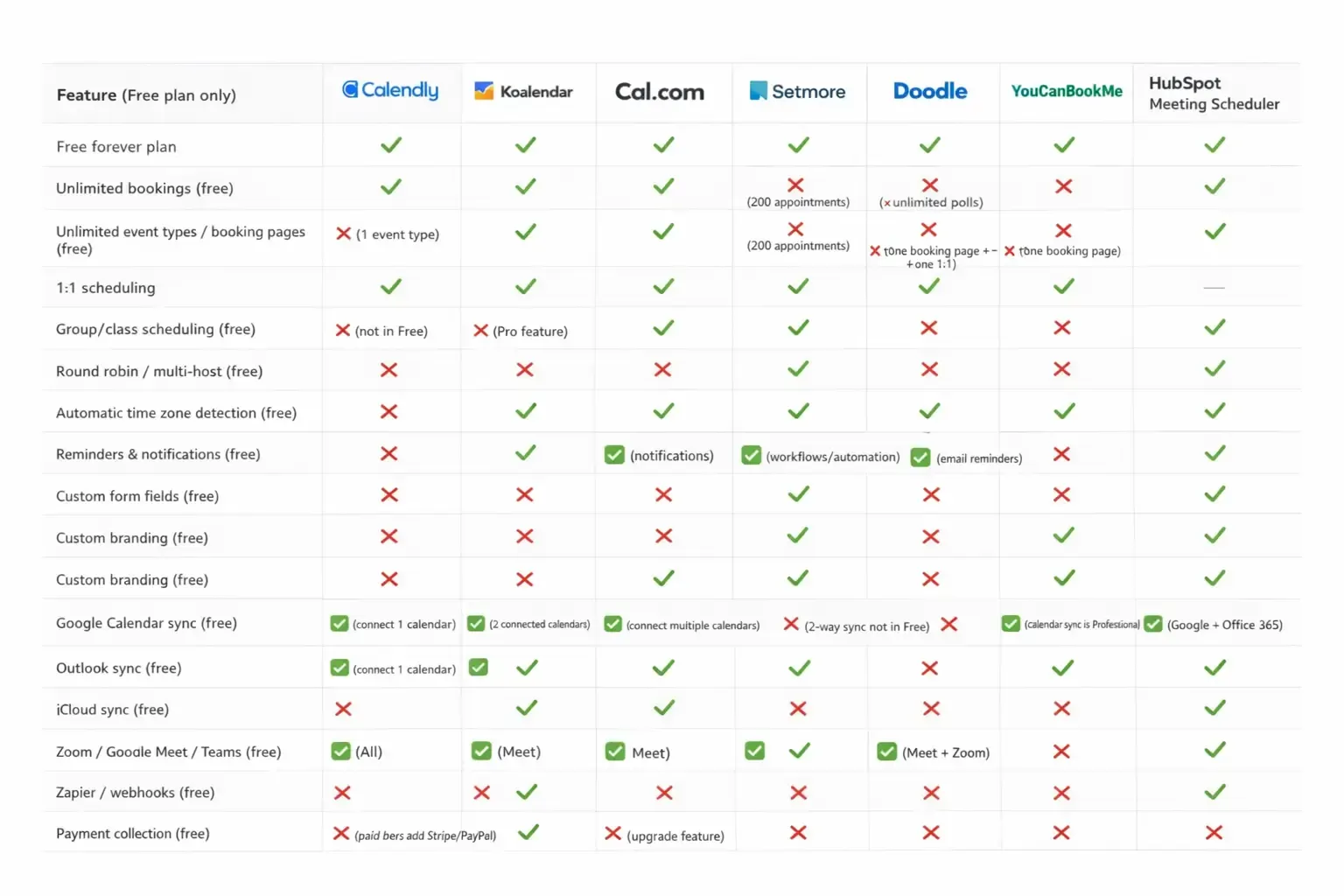
Printable tip: Copy/paste this table into Google Sheets or Notion to create a clean, downloadable checklist for your team. Notes on sourcing: Free-plan specifics and feature availability change often by plan and billing region—always double-check the current pricing pages before committing.
Which Calendly Alternative Is Right for You?
If you want the quick answer, here’s the best-fit shortlist:
- Best overall value (free + paid): Koalendar — a generous free plan (unlimited bookings and event types) plus a low-cost Pro tier for teams, payments, and advanced features.
- Best for developers & self-hosting: Cal.com — open-source flexibility, strong workflow logic, and a free plan designed to scale into teams.
- Best for service businesses with payments: Acuity Scheduling — deeper client and payment workflows, especially for recurring services and packages.
- Best for branded booking pages: YouCanBookMe — excellent customization and a polished client experience.
- Best free plan for small B2C teams: Setmore — a very approachable way to start taking bookings, especially if you’re client-facing and want something simple.
- Best for group scheduling & polls: Doodle — perfect when you need consensus across a group.
- Best for HubSpot CRM users: HubSpot Meeting Scheduler — seamless CRM logging and less integration fuss if your pipeline already lives in HubSpot.
One last nudge: try two free plans hands-on. Ten minutes of real setup tells you more than any listicle ever will—and if you want the easiest place to start, Calendly alternatives like Koalendar make it simple to get booking pages live without paying for the basics.
Don’t Have Time To Read Now? Download It For Later.
Table of Contents
Introduction
Calendly deserves credit: it made link-based booking mainstream. Instead of endless “Does Tuesday work?” emails, you share a page, people pick a slot, and your calendar stays sane.
But scheduling has grown up. And so have expectations. In 2026, many users hit the same walls: a free plan that runs out the moment you need more than one meeting type, pricing that climbs fast when you add teammates, and everyday features that feel locked behind upgrades. If you’re choosing a scheduling tool for client calls, coaching sessions, interviews, or demos, you want something that stays simple, feels professional, and doesn’t punish you for growing.
This guide compares seven Calendly alternatives for 2026—what each one does best, key features, pricing, and real-world feedback—so you can pick the option that fits your workflow (and your budget) without the guesswork.
Why Look for a Calendly Alternative?
1) A restrictive free plan that runs out quickly
Calendly’s free tier is fine for a single, basic use case. But if you need multiple booking links (for different services, durations, or audiences), the limits can feel immediate. That’s why many people start searching for an appointment scheduling app that lets them create more than one meeting type without paying. Cal.com and Koalendar, for example, position their free plans as “no usage limits” or “unlimited bookings” options.
2) Team pricing that escalates fast
Per-seat pricing is normal in SaaS. The problem is when the “must-have” features only show up at higher tiers, especially for teams.
Calendly’s published pricing varies by plan and billing cycle, but the Standard and Teams tiers are commonly cited at around $10/seat/month and $16/seat/month (annual billing), respectively. Multiply that by 10 teammates, and you can be into triple digits monthly before you’ve added extras.
If you’re a small team coordinating demos, onboarding, or interviews, competitors can feel more cost-effective—either because the free plan is broader, or because paid tiers include more team functionality earlier.
3) Branding and customization limits on lower tiers
For client-facing bookings, the booking page is part of your first impression. Yet many schedulers restrict advanced branding (like removing platform branding) to higher tiers.
If you care about a polished experience—logo, colors, custom questions, multi-language support—you may prefer a booking platform that gives you more control sooner. Koalendar, for example, emphasizes logo, color, and link customization and multilingual pages as part of the core experience, with deeper branding controls in Pro. Youcanbookme, on the other hand, also positions themselves as “the most customizable scheduling experience available.”
4) Payments can require a higher-tier upgrade
If you sell time (coaching, consulting, therapy, lessons) being able to collect payment at booking is huge.
Some tools push payments into more expensive plans, while others include payment options earlier. Youcanbookme and Cal.com include payments in their free plans, for example, but their free plans restrict the number of users, booking pages, or calendar connections.
5) “More features” can mean “more complexity”
Calendly has expanded into enterprise scheduling: routing, admin controls, and deeper org tooling. That’s great if you need it. But if you just want clean, reliable booking links, a lighter alternative can feel faster to set up and nicer to use day-to-day—especially for solo professionals.
Calendly alternatives: What to look for in a scheduling tool
To keep this comparison fair, we evaluated each option using the same seven criteria:
- Core focus: Who it’s built for (solo pros, service businesses, sales teams, developers, etc.).
- Ease of use: How quickly you can get live, plus the day-to-day feel—based on consistent themes in user reviews.
- Pricing: What the free plan actually gives you, and where paid tiers start.
- Scheduling features: Availability rules, buffers, group bookings, round robin, and other foundations.
- Customization: Branding, booking questions, embeds, and language support.
- Integrations: Calendar sync, video tools, automation (Zapier/webhooks), and CRMs.
- Customer reviews: What real users consistently praise (or complain about) on G2/Capterra/marketplaces.
If you’re short on time, there’s a free-plan comparison table near the end for quick scanning.
7 Best Calendly Alternatives
1. Koalendar
Best for: Professionals, consultants, coaches, and small teams who want premium scheduling without the premium price.
Koalendar is built around a simple idea: scheduling should just work, without forcing you to pay for basics. Koalendar is perfect if you are looking to trade complex tools for a straightforward interface that works for everyone. Whether you need full control of your availability, the booking forms, or communications to invitees, Koalendar provides the flexibility you need without the laborious setup.
It also stands out because of its very generous Free Forever Plan: unlimited bookings, unlimited event types, and unlimited scheduling links, which directly addresses one of the most common reasons people move away from Calendly.
Key features
- Personalized booking pages (custom link, logo, brand colors) + 40+ languages
- Smart availability: Google/Outlook/iCloud sync, time zone detection, buffer times, booking limits
- Team scheduling: round robin routing, multi-host events, collective bookings
- Custom email + SMS reminders (helpful for reducing no-shows)
- Payments: cards, bank transfers, Apple Pay, Google Pay (in Pro)
- Website embeds (great for WordPress/Wix/Squarespace/Shopify setups)
- Integrations: Zoom/Meet/Teams + Zapier + webhooks + analytics pixels
Pricing
- Free Forever: unlimited bookings, unlimited event types/links, calendar sync, 2 connected calendars, video conferencing, notifications.
- Pro: from $6.99/seat/month (annual) or $9.99/month (monthly)
- Teams: custom pricing for 10+ seats
Overall rating (at-a-glance)
- Strong marketplace and review-platform feedback, including Google Workspace presence (4.9/5) and Capterra (4.7/5) reviews highlighting ease of use and clean experience.
2. Cal.com
Best for: Developers, technical teams, and businesses that want open-source flexibility and self-hosting options
Cal.com is the developer-first option in the scheduling space. If you want control—down to infrastructure—Cal.com leans into open-source and self-hosting, plus strong workflow logic for teams. It also makes “free with no usage limits” a headline promise, which is appealing if you hate hitting caps.
A standout differentiator is Cal.com’s broader ecosystem direction, including AI-forward experiments like phone-based scheduling concepts (availability depends on product releases and plan). The main point: it’s built for teams that like to customize, automate, and integrate deeply.
Key features
- Open-source + self-hosting options
- Unlimited bookings on the free plan
- Round-robin, collective, and group scheduling (Teams plan and beyond)
- Workflow automation and admin controls (Team plan)
Pricing
- Free: individuals can start free
- Team accounts: commonly listed at $15/user/month
Overall rating: 4.6/5 on G2
3. Acuity Scheduling
Best for: Service-based professionals who need payments + client management baked in
Acuity Scheduling (part of Squarespace) goes beyond “pick a time” into fuller appointment management. It’s a strong fit for therapists, coaches, salons, and other service businesses that deal with deposits, packages, intake forms, and recurring sessions.
The trade-off is simple: no free-forever plan, and it can feel heavier than minimalist tools. But if your business runs on appointments and you want scheduling + payments + client workflows in one place, Acuity is hard to ignore.
Key features
- Built-in payments via Stripe/PayPal (and more, depending on setup)
- Advanced scheduling controls (buffers, limits, blackout dates)
- Multi-staff and multi-location management
- Intake forms + automated reminders/follow-ups
Pricing
- 7-day free trial
- Starter: $16/month (annual) / $20 (monthly)
- Standard: $27/month (annual)
- Premium: $49/month (annual)
Overall rating: Commonly reported around 4.7/5 on G2
4. YouCanBookMe
Best for: Freelancers, educators, and small teams who want a polished, highly customizable booking experience
YouCanBookMe has been around for years and is known for flexible booking pages and a clean experience. Review summaries frequently highlight smooth Google/Outlook integration and solid customization, especially for people who want their booking page to feel like their brand, not a generic scheduler page.
The free plan is limited (1 calendar + 1 booking page), so it’s best if you’re okay starting small and upgrading when you need more.
Key features
- Two-way sync with Google Calendar and Outlook
- Strong booking page customization + branding controls
- Round-robin and collective team logic (paid tiers)
- Email/SMS notifications with placeholders (paid tiers)
- Zapier + webhooks/API for advanced flows
Pricing
- Free: 1 calendar connection, 1 booking page
- Paid plans vary by billing cycle; starts at $8.10 (billed annually) with expanded calendars/pages
Overall rating: 4.7/5 on G2 (1,900+ reviews cited by G2 seller page)
5. Setmore
Best for: Small B2C businesses that want a generous free plan (limited) and simple client booking
Setmore is popular with appointment-based businesses that need a straightforward booking flow: clinics, salons, tutors, fitness pros, and similar. The big headline is the free plan’s generosity: commonly described as supporting multiple staff and 200 bookings, making it a strong “start free” option for small teams.
You also get social-friendly scheduling options (useful if most clients come from Instagram or Facebook) and an overall lightweight interface compared to heavier client-management suites.
Key features
- Free plan with 200 appointments and payments
- Online booking page + availability controls
- Email/SMS reminders (SMS often on paid tiers)
Pricing
- Free: $0/month
- Pro: commonly listed at $5/user/month (annual) or higher monthly
Overall rating: widely listed around 4.5/5 on G2 and strong Capterra sentiment
6. Doodle
Best for: Teams and groups who need to find a time that works for many people
Doodle is the classic “group scheduling by poll” tool. Instead of sending one availability link, you propose a few time options and let participants vote. It’s ideal when no single person owns the schedule—committees, cross-team meetings, event planning, and group coordination.
It also offers 1:1 scheduling, but polling is where it shines. On G2, Doodle sits around 4.4/5 with thousands of reviews, which reflects its long-standing role as a dependable coordination tool.
Key features
- Meeting polls (group voting)
- 1:1 booking mode
- Calendar connections (Google/Outlook/iCloud depending on plan)
- Branding controls on paid tiers
Pricing
- Free: includes unlimited group polls (with limits on advanced features)
- Pro: $6.95/user/month (annual)
- Team: $8.95/user/month (annual)
7. HubSpot Meeting Scheduler
Best for: Sales and marketing teams already using HubSpot CRM
HubSpot Meeting Scheduler isn’t really trying to be a standalone scheduling brand. It’s a scheduling layer inside HubSpot’s world—CRM, email, pipelines, chat, forms, and automation.
If you already live in HubSpot, that’s a win: meetings can log to contact records, booking links can show up inside emails or chat flows, and your team gets visibility without duct-taping integrations together. HubSpot positions its meeting scheduler as “free to get started,” with deeper capabilities tied to Sales Hub tiers.
Key features
- Meeting activity logged into HubSpot CRM context
- Booking links embedded in emails, landing pages, and chat flows
- Round-robin routing for teams (tier-dependent)
- Qualification forms before booking (depending on setup/tools used)
Pricing
- Free: available with HubSpot’s free tools
- Paid tiers vary; HubSpot markets Starter bundles starting at $20/month
Overall rating: HubSpot Sales Hub is commonly rated ~4.4/5 on G2
Calendly alternatives: Free plans side-by-side comparison
Below is a quick comparison of the free-forever plans for the tools that offer them, plus Calendly as a baseline. (Acuity is excluded here because it’s trial-only.)
Printable tip: Copy/paste this table into Google Sheets or Notion to create a clean, downloadable checklist for your team. Notes on sourcing: Free-plan specifics and feature availability change often by plan and billing region—always double-check the current pricing pages before committing.
Which Calendly Alternative Is Right for You?
If you want the quick answer, here’s the best-fit shortlist:
- Best overall value (free + paid): Koalendar — a generous free plan (unlimited bookings and event types) plus a low-cost Pro tier for teams, payments, and advanced features.
- Best for developers & self-hosting: Cal.com — open-source flexibility, strong workflow logic, and a free plan designed to scale into teams.
- Best for service businesses with payments: Acuity Scheduling — deeper client and payment workflows, especially for recurring services and packages.
- Best for branded booking pages: YouCanBookMe — excellent customization and a polished client experience.
- Best free plan for small B2C teams: Setmore — a very approachable way to start taking bookings, especially if you’re client-facing and want something simple.
- Best for group scheduling & polls: Doodle — perfect when you need consensus across a group.
- Best for HubSpot CRM users: HubSpot Meeting Scheduler — seamless CRM logging and less integration fuss if your pipeline already lives in HubSpot.
One last nudge: try two free plans hands-on. Ten minutes of real setup tells you more than any listicle ever will—and if you want the easiest place to start, Calendly alternatives like Koalendar make it simple to get booking pages live without paying for the basics.
Frequently Asked Questions
What’s the biggest difference between Calendly and most competitors?

Most competitors either (1) offer a more generous free tier (more booking pages or fewer limits), or (2) include “everyday” features—like branding controls, team routing, or automation—earlier in paid plans.
If I’m a solo consultant, what should I prioritize?

Pick a platform that nails the basics: reliable calendar sync, time zone handling, buffers, reminders, and a clean booking page you’re happy to share. If you plan to offer multiple services, make sure your scheduling tool supports multiple event types without forcing an immediate upgrade.
Which option is best for coordinating a group meeting?
If you need “everyone votes on times,” Doodle is purpose-built for that. If you need structured group sessions (like classes or multi-host events), look for group booking support in a booking platform like Koalendar or Cal.com.
Do these tools work with Google Calendar and Outlook?
Most do, but availability can vary by plan. Always confirm Google and Outlook sync on the product’s pricing page before you roll it out to a team.
Share to:

Written By:
Harram ShahidHarram is like a walking encyclopedia who loves to write about various genres but at the t... Know more
Get Help From Experts At InvoZone In This Domain
Related Articles

